Design of the PDT system for the L'Etoile company
Design of the PDT system for the company L'Etoile
Design of the PDT system for the company L'Etoile
Design of the PDT system for the company L'Etoile
Achievements
My solutions have reduced the processing time of products by 30%, increased employee productivity by 25%, and decreased the number of errors by 40%. The system has simplified the work for over 1,000 employees across the country.
About the company
Achievements
L'Etoile is the largest chain of perfume and cosmetics stores in Russia, with over 1000 locations across the country. Founded in 1997, it offers products from global brands such as Dior, Chanel, and Givenchy. L'Etoile is known for its high level of service, exclusive collaborations, and its own loyalty program, attracting millions of customers.
My solutions have reduced the processing time of products by 30%, increased employee productivity by 25%, and decreased the number of errors by 40%. The system has simplified the work for over 1,000 employees across the country.
L'Etoile is the largest chain of perfume and cosmetics stores in Russia, with over 1000 locations across the country. Founded in 1997, it offers products from global brands such as Dior, Chanel, and Givenchy. L'Etoile is known for its high level of service, exclusive collaborations, and its own loyalty program, attracting millions of customers.
About the company
Achievements
L'Etoile is the largest chain of perfume and cosmetics stores in Russia, with over 1000 locations across the country. Founded in 1997, it offers products from global brands such as Dior, Chanel, and Givenchy. L'Etoile is known for its high level of service, exclusive collaborations, and its own loyalty program, attracting millions of customers.
L'Etoile is the largest chain of perfume and cosmetics stores in Russia, with over 1000 locations across the country. Founded in 1997, it offers products from global brands such as Dior, Chanel, and Givenchy. L'Etoile is known for its high level of service, exclusive collaborations, and its own loyalty program, attracting millions of customers.
My solutions have reduced the processing time of products by 30%, increased employee productivity by 25%, and decreased the number of errors by 40%. The system has simplified the work for over 1,000 employees across the country.
Tasks
1. Transfer the TSD system from the terminal to a mobile device
2. Identify and eliminate issues with the user scenario
Goals
1. Increase employee productivity by using mobile devices instead of terminals.
2. Simplify and accelerate the process of scanning and processing goods.
Tasks
1. Transfer the TSD system from the terminal to a mobile device
2. Identify and eliminate issues with the user scenario
Goals
1. Increase employee productivity by using mobile devices instead of terminals.
2. Simplify and accelerate the process of scanning and processing goods.
Goals
1. Increase employee productivity by using mobile devices instead of terminals.
1. Increase employee productivity by using mobile devices instead of terminals.
2. Simplify and accelerate the process of scanning and processing goods.
2. Simplify and accelerate the process of scanning and processing goods.
Tasks
1. Transfer the TSD system from the terminal to a mobile device
1. Transfer the TSD system from the terminal to a mobile device
2. Identify and eliminate issues with the user scenario
2. Identify and eliminate issues with the user scenario
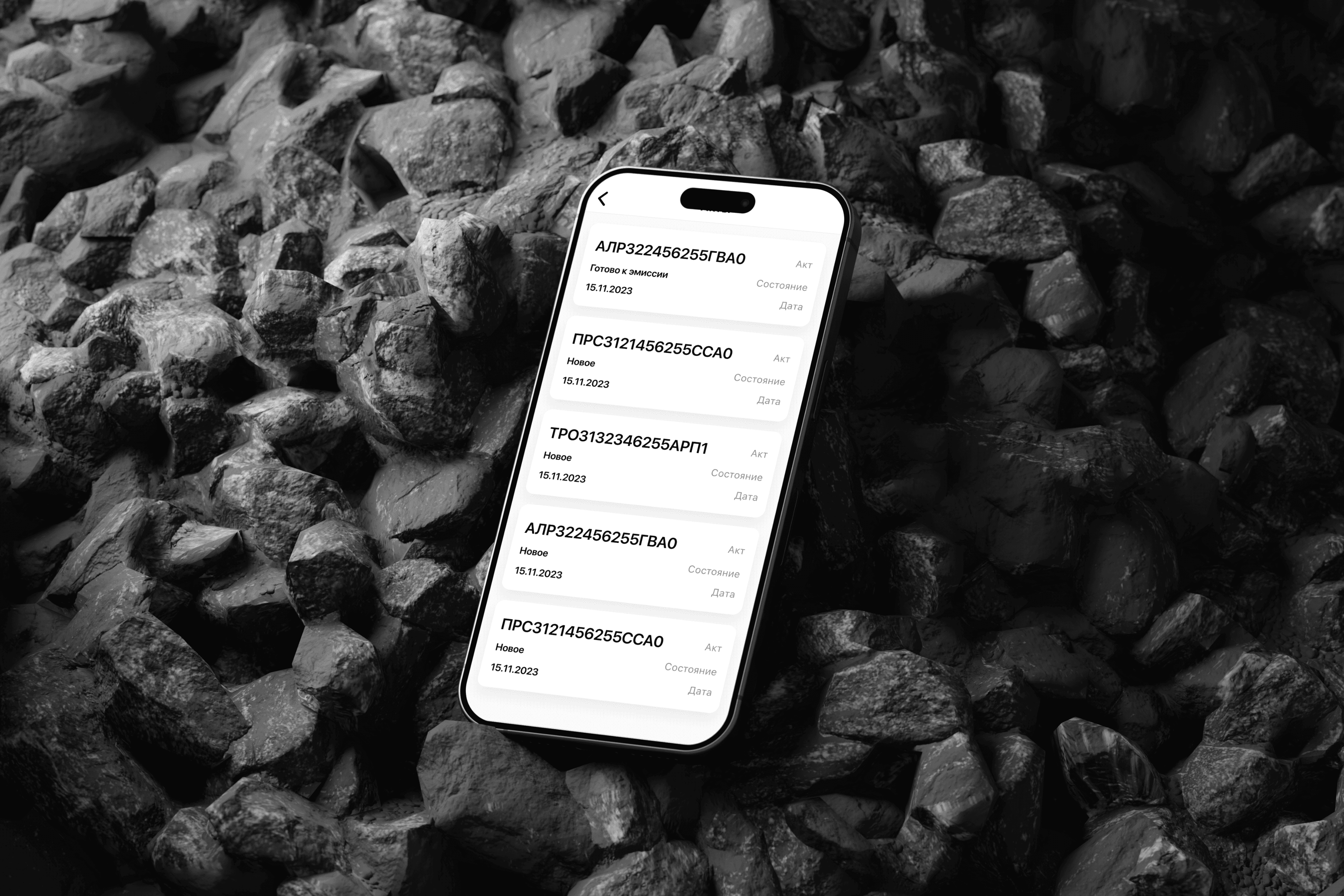
Chapter 1 - research
Chapter 1 - research
Benchmarking
I conducted benchmarking of the marketplaces Wildberries, Ozon, Yandex Market, and Cooper to analyze their approaches to working with TSD systems. This helped me identify the strengths of their solutions and use them to improve my system.
Benchmarking
I conducted benchmarking of the marketplaces Wildberries, Ozon, Yandex Market, and Cooper to analyze their approaches to working with TSD systems. This helped me identify the strengths of their solutions and use them to improve my system.
Benchmarking
I conducted benchmarking of the marketplaces Wildberries, Ozon, Yandex Market, and Cooper to analyze their approaches to working with TSD systems. This helped me identify the strengths of their solutions and use them to improve my system.
Benchmarking
I conducted benchmarking of the marketplaces Wildberries, Ozon, Yandex Market, and Cooper to analyze their approaches to working with TSD systems. This helped me identify the strengths of their solutions and use them to improve my system.
Criterion
Yandex Market
Cooper
How to edit products
- Multistage editing
- A transition to separate screens is required.
How the condition of the item is chosen
(damage, defect, etc.)
- Requires several steps to select a state
- It requires several steps to select the state
The ability to scan multiple items with one barcode
+ Supported
- Not supported
Criterion
Wildberries
Ozon
How to edit products
+ Simple editing on one screen
+ Simple editing on one screen
How the condition of the item is chosen
(damage, defect, etc.)
- Choose the state of the product after scanning from the list
- Choose the state of the product after scanning from the list
The ability to scan multiple items with one barcode
- Not supported
+ Supported
Conclusions
Selection of product condition (good, defective, etc.): Wildberries and Ozon provide dropdown lists to select the product condition immediately after scanning, while Yandex Market and Cooper require additional screens.
Editing products: All companies support the ability to edit data after scanning the product, but in Cooper, this process is more complicated, requiring navigation to separate screens.
Scanning multiple products with one barcode: Wildberries, Ozon, and Yandex Market support the option to scan a single barcode for multiple products, which is convenient when working with batches, while Cooper requires each product to be scanned individually.
Conclusions
Product condition selection (good, defective, etc.): Wildberries and Ozon provide drop-down lists for selecting the product condition immediately after scanning, while Yandex Market and Cooper require using additional screens.
Editing products: All companies support the ability to edit data after scanning the product, but Cooper and Yandex have a more complicated process, requiring navigation to separate screens.
Scanning multiple products with one barcode: Ozon and Yandex Market support the ability to scan one barcode for multiple products, which is convenient for working with batches, whereas Cooper requires scanning each product separately.
Conclusions
Product condition selection (good, defective, etc.): Wildberries and Ozon provide drop-down lists for selecting the product condition immediately after scanning, while Yandex Market and Cooper require using additional screens.
Editing products: All companies support the ability to edit data after scanning the product, but Cooper and Yandex have a more complicated process, requiring navigation to separate screens.
Scanning multiple products with one barcode: Ozon and Yandex Market support the ability to scan one barcode for multiple products, which is convenient for working with batches, whereas Cooper requires scanning each product separately.
Comment
My analysis showed that Wildberries and Ozon provide more convenient interfaces with the ability to quickly select the condition of the product after scanning through drop-down lists. Yandex Market and Kuper require additional steps, which increases processing time.
I made changes by implementing the ability to select the condition of the product before scanning, which will significantly speed up the process. A function for editing products on one screen will also be added to enhance convenience. Support for scanning multiple products with one barcode will allow for efficient processing of large batches.
Comment
My analysis showed that Wildberries and Ozon provide more convenient interfaces with the ability to quickly select the condition of the product after scanning through drop-down lists. Yandex Market and Kuper require additional steps, which increases processing time.
I made changes by implementing the ability to select the condition of the product before scanning, which will significantly speed up the process. A function for editing products on one screen will also be added to enhance convenience. Support for scanning multiple products with one barcode will allow for efficient processing of large batches.
Comment
My analysis showed that Wildberries and Ozon provide more convenient interfaces with the ability to quickly select the condition of the product after scanning through drop-down lists. Yandex Market and Kuper require additional steps, which increases processing time.
I made changes by implementing the ability to select the condition of the product before scanning, which will significantly speed up the process. A function for editing products on one screen will also be added to enhance convenience. Support for scanning multiple products with one barcode will allow for efficient processing of large batches.
Comment
My analysis showed that Wildberries and Ozon provide more convenient interfaces with the ability to quickly select the condition of the product after scanning through drop-down lists. Yandex Market and Kuper require additional steps, which increases processing time.
I made changes by implementing the ability to select the condition of the product before scanning, which will significantly speed up the process. A function for editing products on one screen will also be added to enhance convenience. Support for scanning multiple products with one barcode will allow for efficient processing of large batches.
Hypotheses
The first hypothesis
If we allow an employee to select the item condition on one screen, then scanning 10 items will take approximately 20 seconds.
The second hypothesis
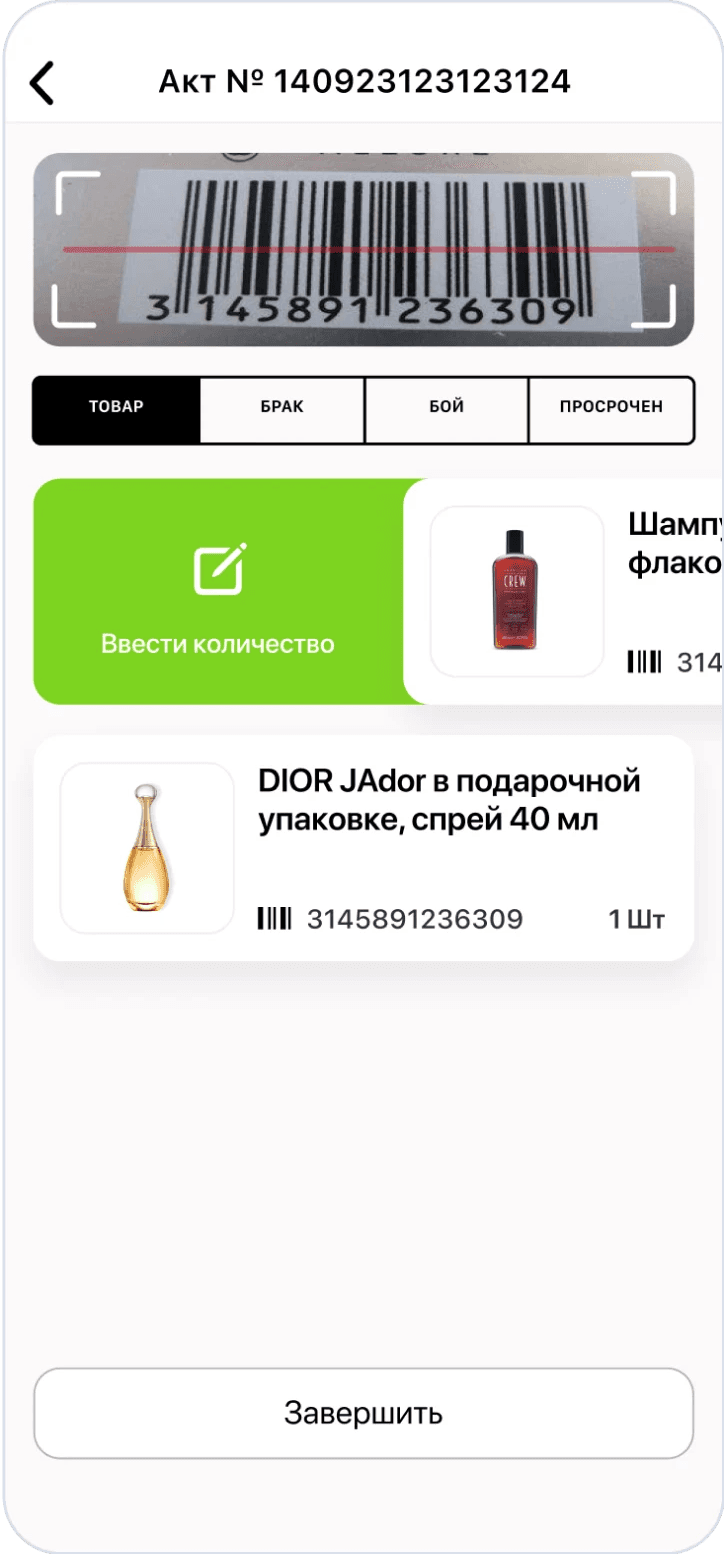
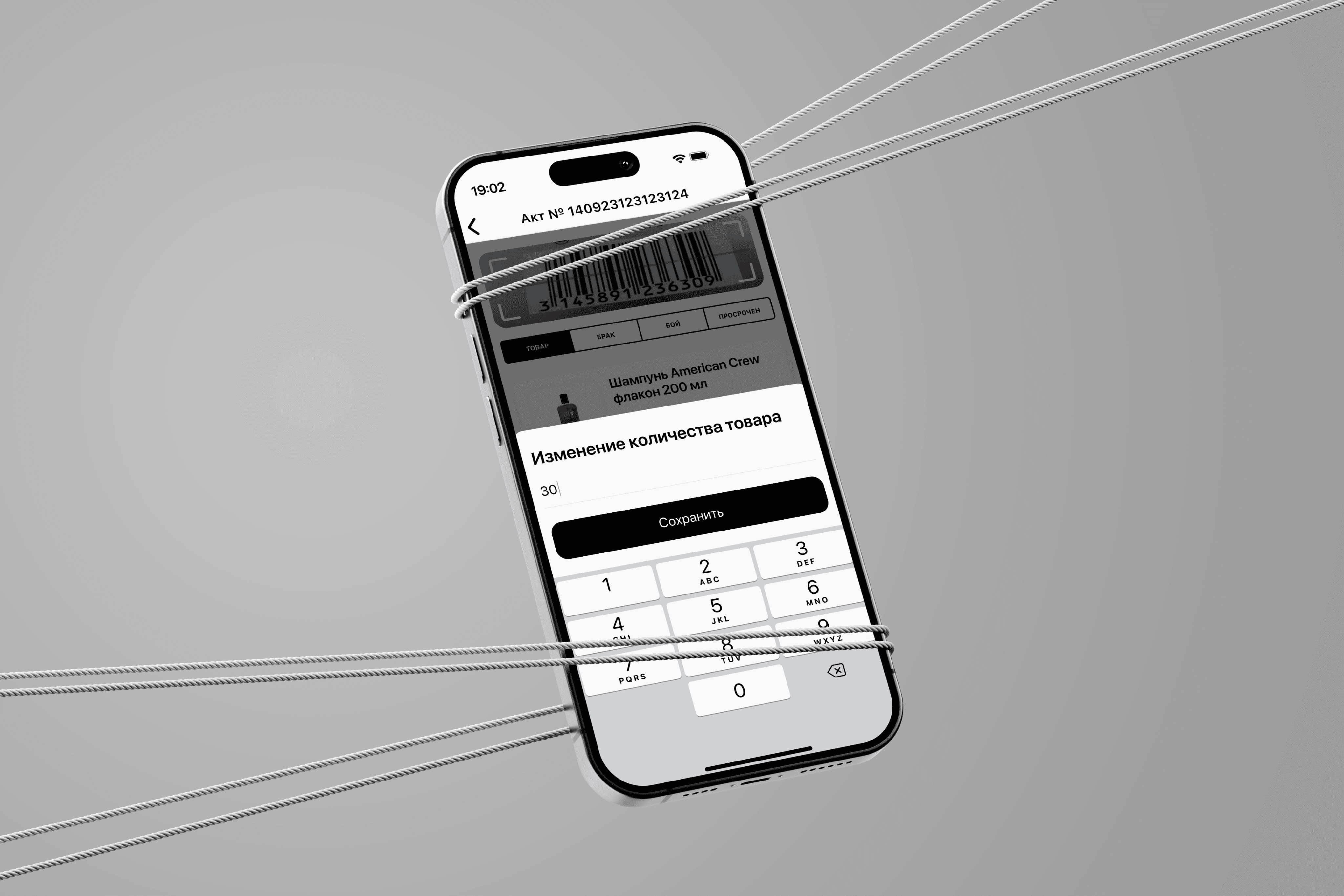
If we allow an employee to edit and change the quantity of goods on one screen, the editing will take about 5 seconds.
Hypotheses
The first hypothesis
If we allow an employee to select the item condition on one screen, then scanning 10 items will take approximately 20 seconds.
The second hypothesis
If we allow an employee to edit and change the quantity of goods on one screen, the editing will take about 5 seconds.
Hypotheses
The first hypothesis
If we allow an employee to select the item condition on one screen, then scanning 10 items will take approximately 20 seconds.
The second hypothesis
If we allow an employee to edit and change the quantity of goods on one screen, the editing will take about 5 seconds.
Hypotheses
The first hypothesis
If we allow an employee to select the item condition on one screen, then scanning 10 items will take approximately 20 seconds.
The second hypothesis
If we allow an employee to edit and change the quantity of goods on one screen, the editing will take about 5 seconds.
Criterion
Wildberries
Ozon
Yandex Market
Cooper
How the condition of the item is chosen
(damage, defect, etc.)
- Choice of product condition after scanning
- Choice of product condition after scanning
- Requires several steps to select a state
- It requires several steps to select the state
How to edit products
+ Simple editing, intuitive interface
+ Convenient editing system
- Multistage editing
- Limited editing capabilities
The ability to scan multiple items with one barcode
- Not supported
+ Supported
+ Supported
- Not supported
Criterion
Wildberries
Ozon
Yandex Market
Cooper
How the condition of the item is chosen
(damage, defect, etc.)
- Choose the state of the product after scanning from the list
- Choose the state of the product after scanning from the list
- Requires several steps to select a state
- It requires several steps to select the state
How to edit products
+ Simple editing on one screen
+ Simple editing on one screen
- Multistage editing
- A transition to separate screens is required.
The ability to scan multiple items with one barcode
- Not supported
+ Supported
+ Supported
-
Not supported
Conclusions
Product condition selection (good, defective, etc.): Wildberries and Ozon provide drop-down lists for selecting the product condition immediately after scanning, while Yandex Market and Cooper require using additional screens.
Editing products: All companies support the ability to edit data after scanning the product, but Cooper and Yandex have a more complicated process, requiring navigation to separate screens.
Scanning multiple products with one barcode: Ozon and Yandex Market support the ability to scan one barcode for multiple products, which is convenient for working with batches, whereas Cooper requires scanning each product separately.
Глава 2 - WireFrame
Chapter 2 - UserFlow and Wireframes
Chapter 2 - UserFlow and Wireframes
Глава 2 - UserFlow
и WirFrames
Main screen
Application scanning
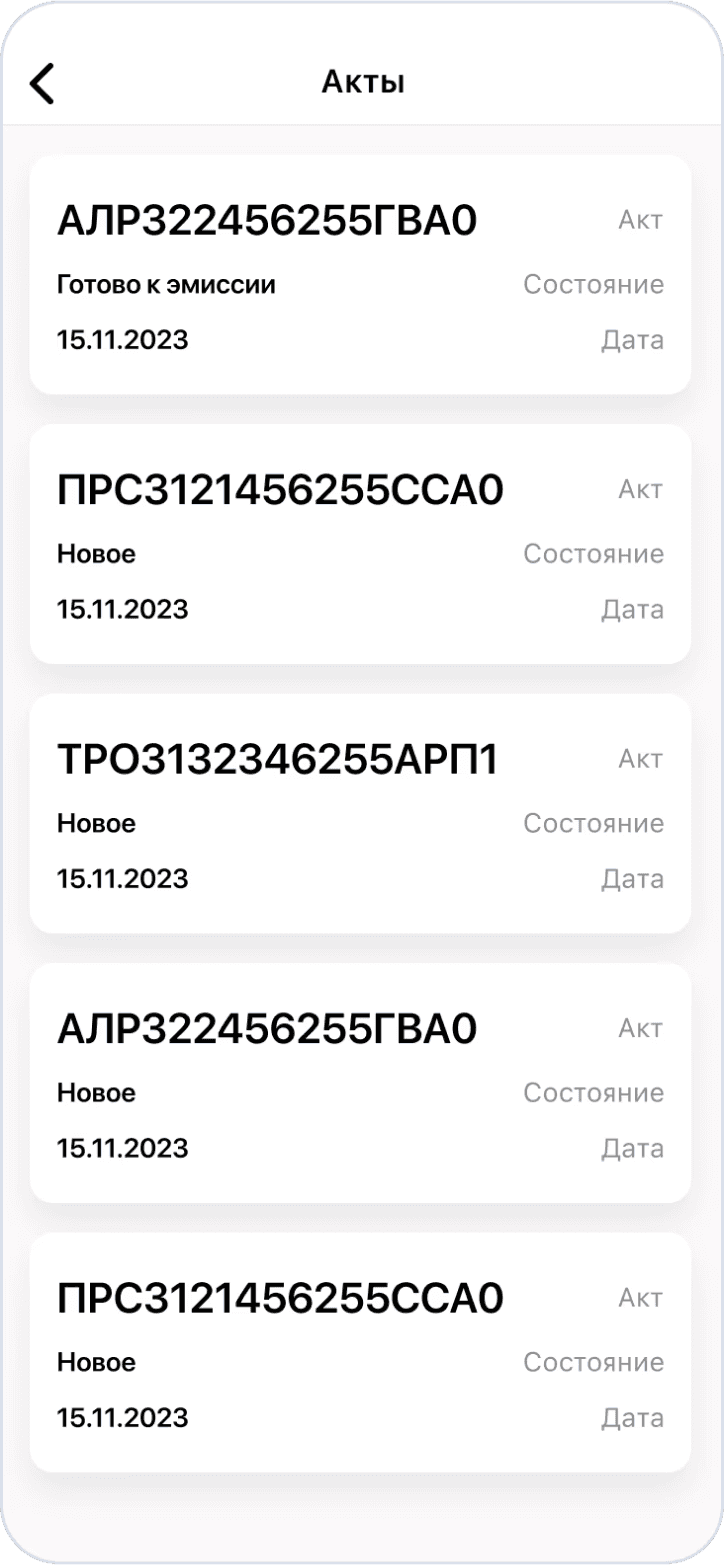
List of acts
Choice of Act
Product condition
State selection
Scanning
Yes
No
Do we need to edit the quantity?
Editing
List of goods
List of goods
Product selection
Scanned goods
Main screen
Application scanning
List of acts
Choice of Act
Product condition
Editing
Scanned goods
List of goods
Product selection
List of goods
State selection
Scanning
Do we need to edit the quantity?
Yes
No
Main screen
Application scanning
List of acts
Choice of Act
Product condition
Editing
Scanned goods
List of goods
Product selection
List of goods
State selection
Scanning
Do we need to edit the quantity?
Yes
No
User scenario until
To scan a new item, the user needs to return to the main screen and start the process over again. The same principle applies to editing and viewing already scanned items — this requires going back to the main screen and repeating the actions.
User scenario until
To scan a new item, the user needs to return to the main screen and start the process over again. The same principle applies to editing and viewing already scanned items — this requires going back to the main screen and repeating the actions.
User scenario until
To scan a new item, the user needs to return to the main screen and start the process over again. The same principle applies to editing and viewing already scanned items — this requires going back to the main screen and repeating the actions.
User scenario until
To scan a new item, the user needs to return to the main screen and start the process over again. The same principle applies to editing and viewing already scanned items — this requires going back to the main screen and repeating the actions.
User scenario after
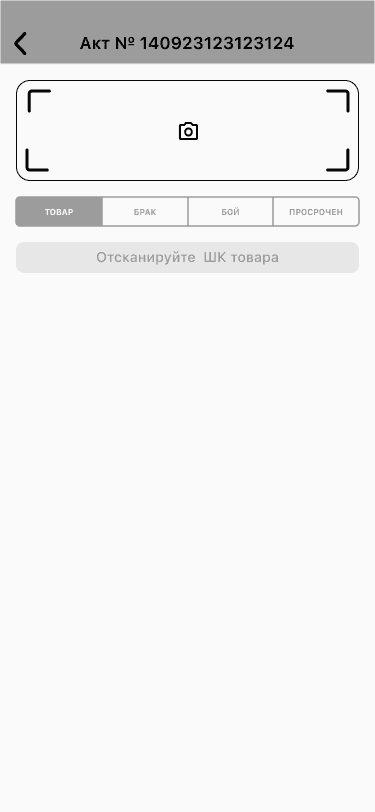
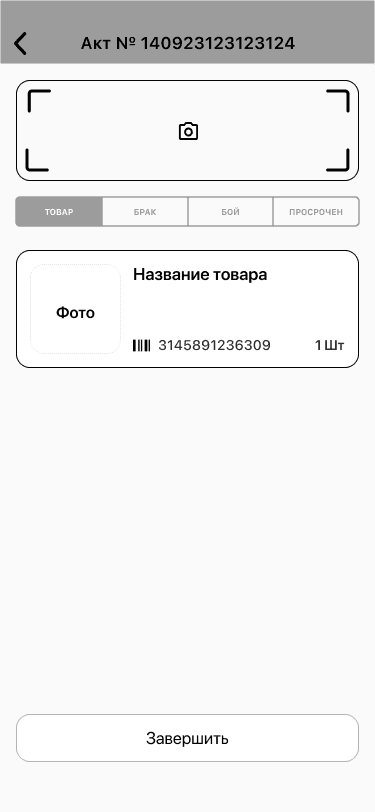
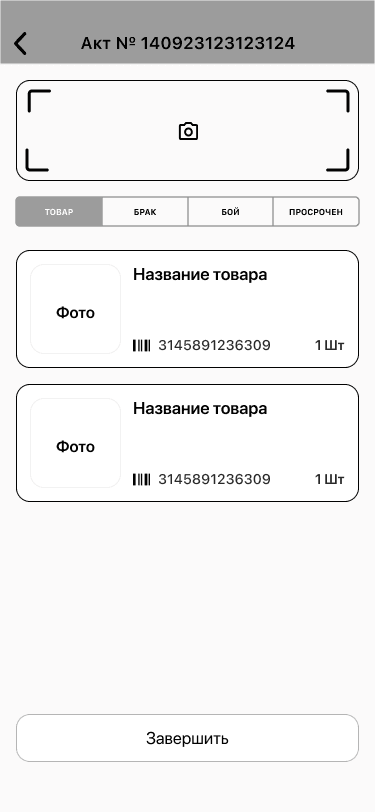
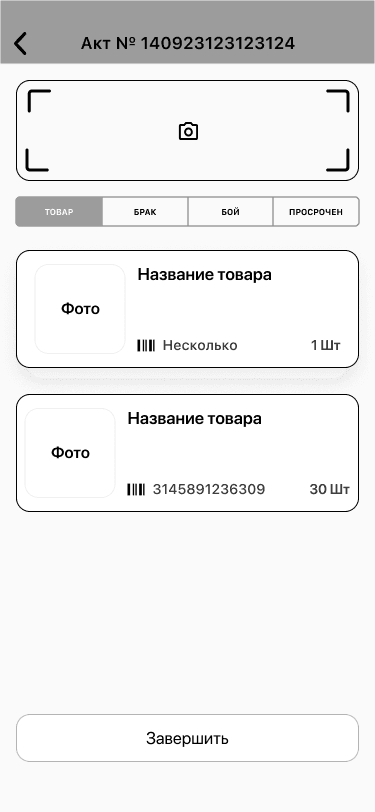
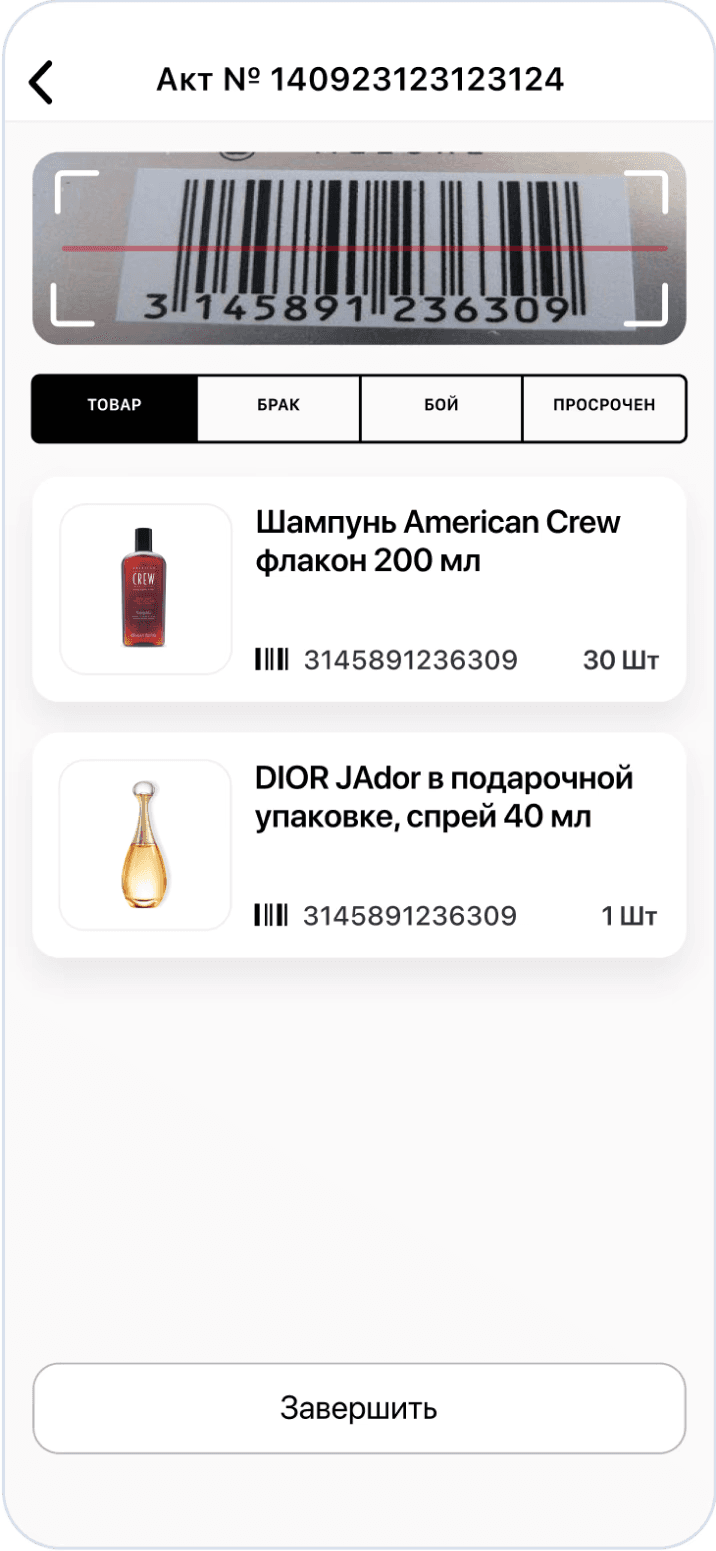
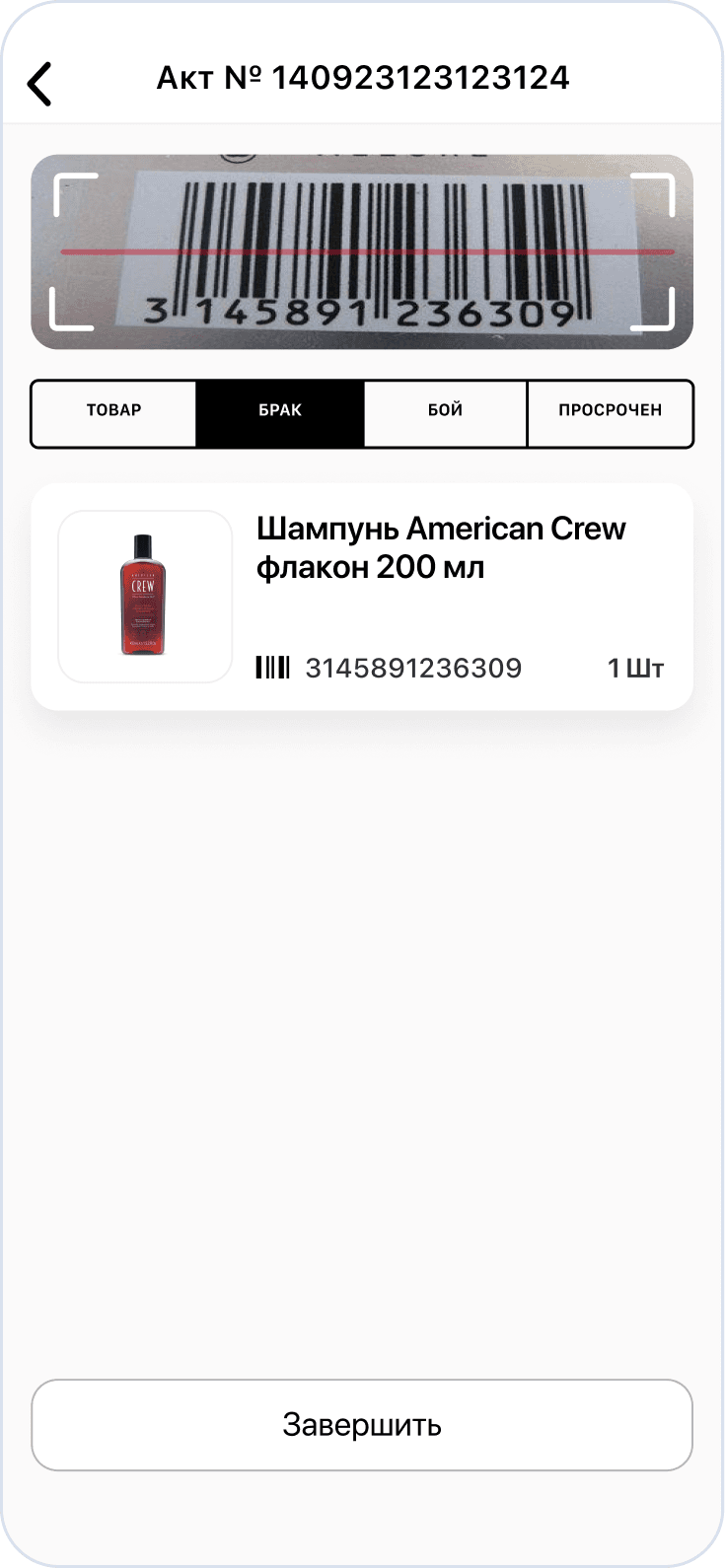
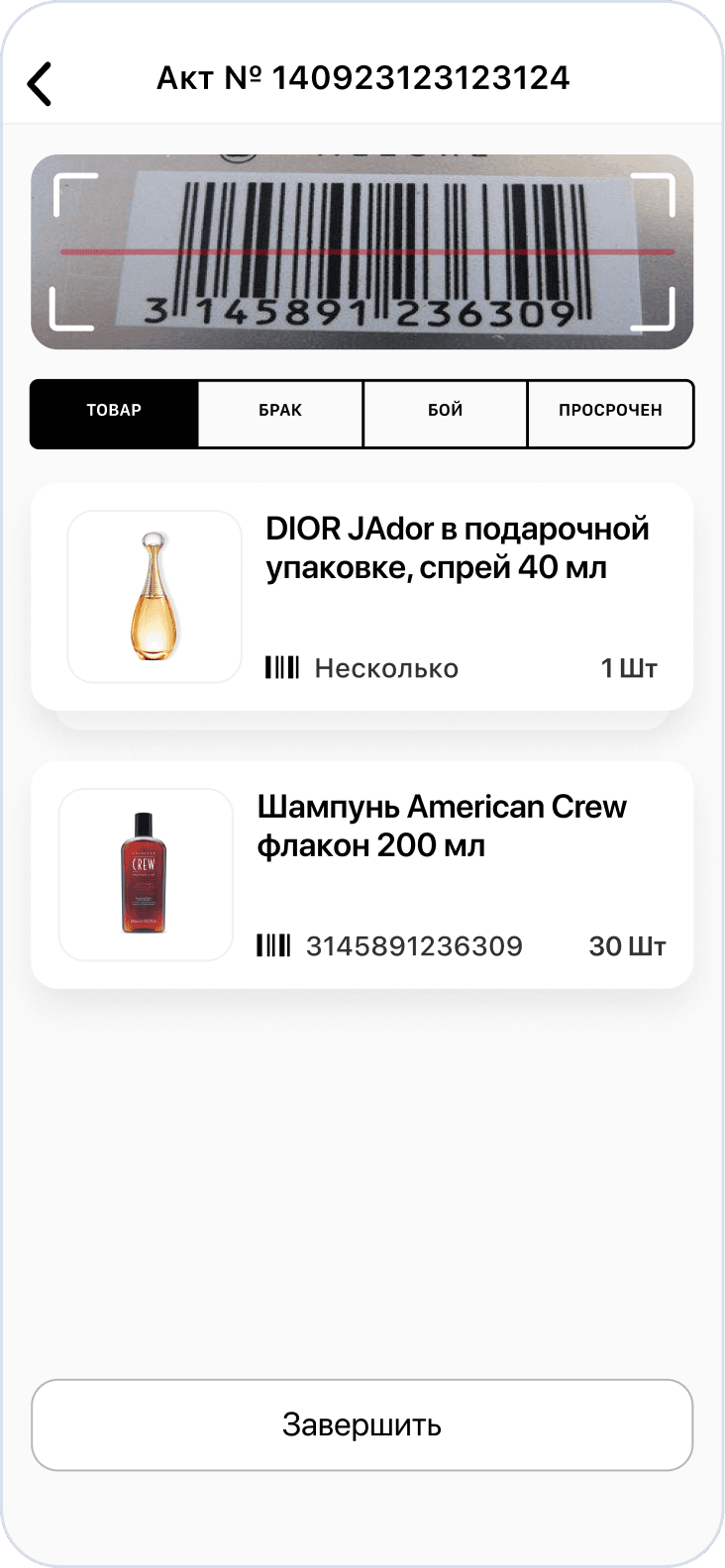
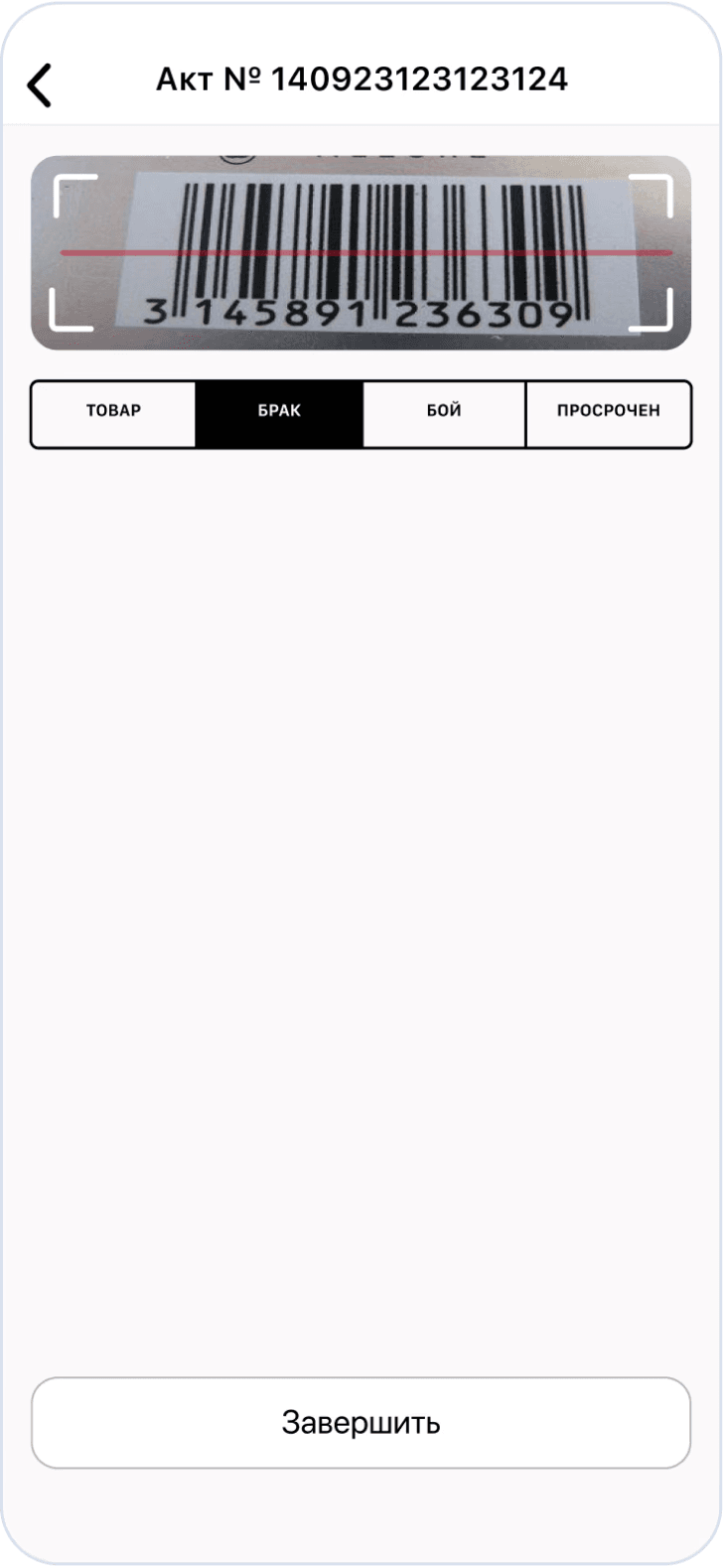
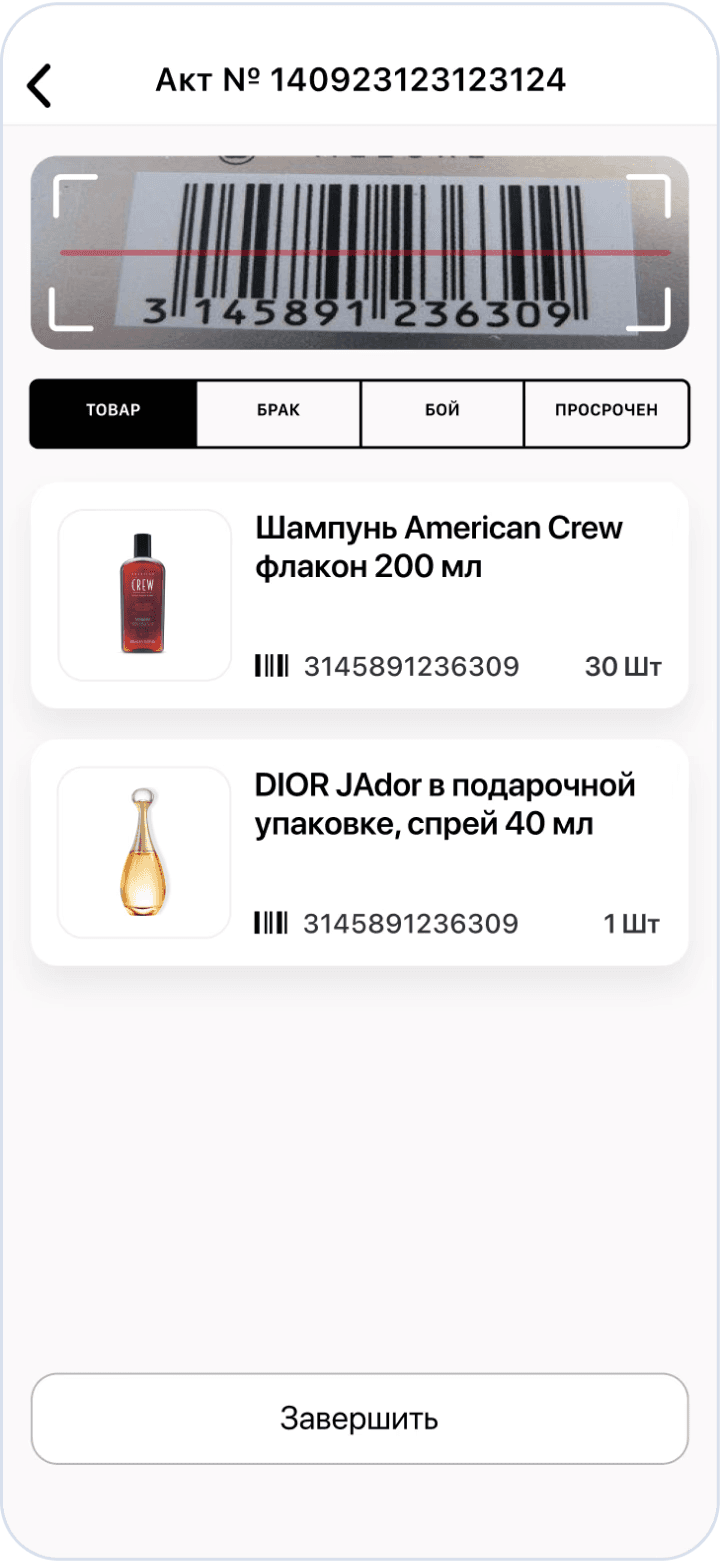
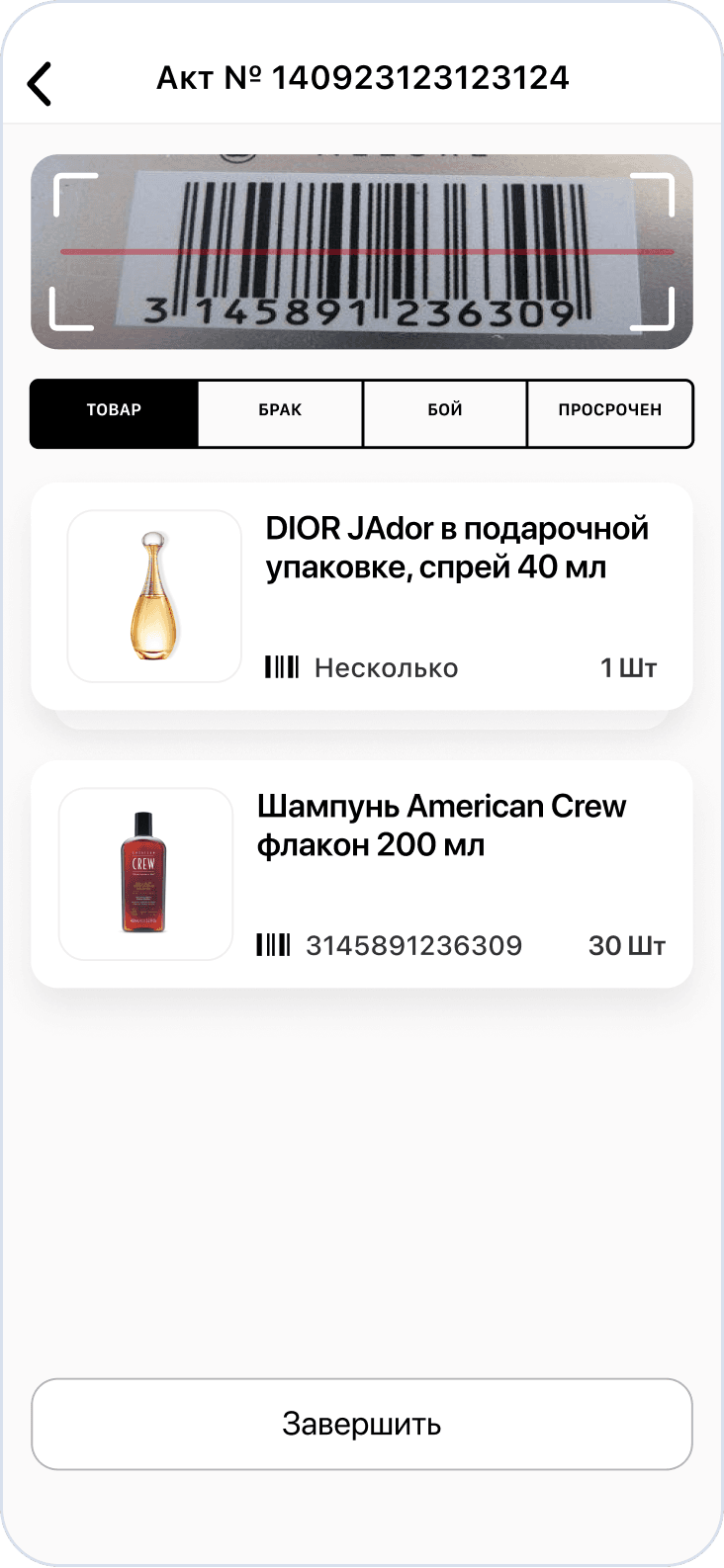
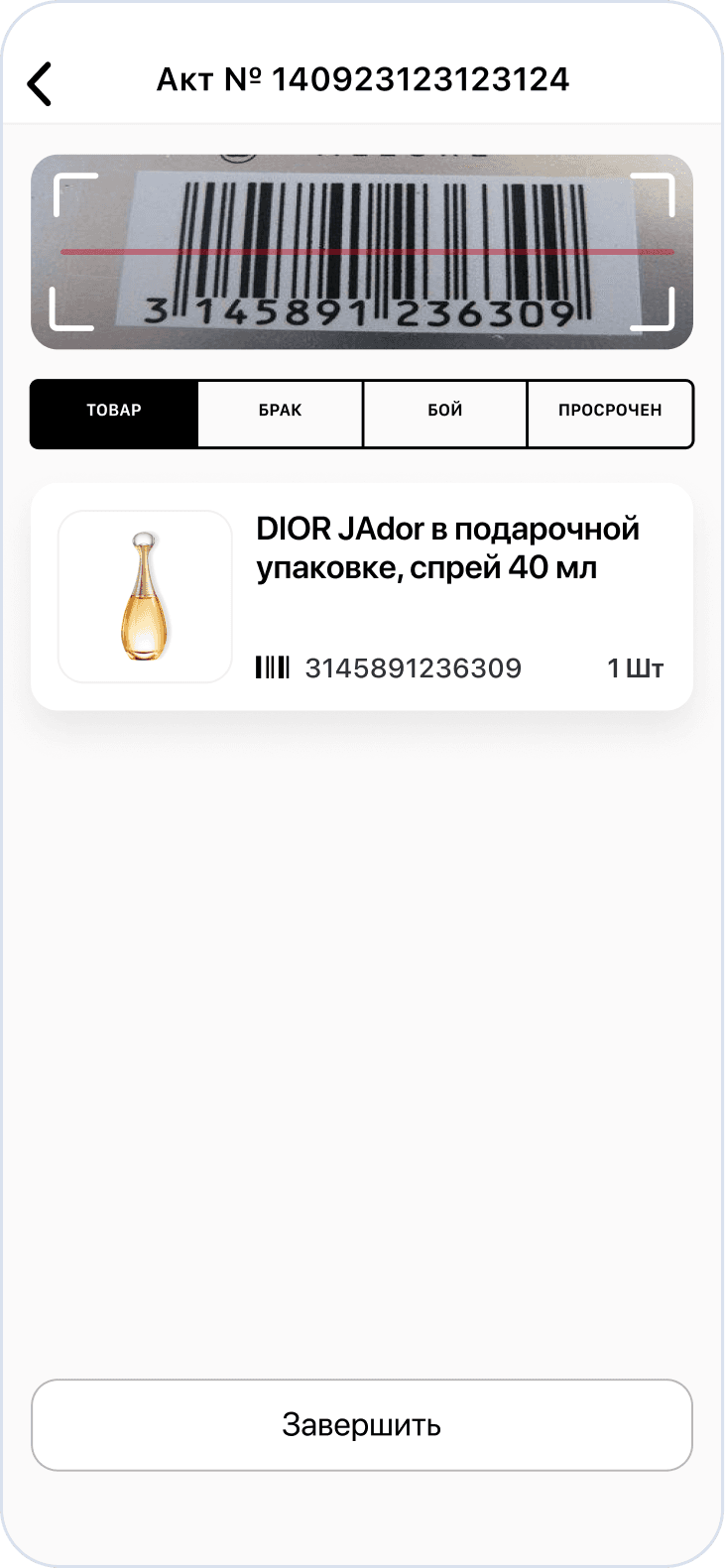
The employee gains the ability to manage the entire process on one screen: selecting the product status, scanning, and editing
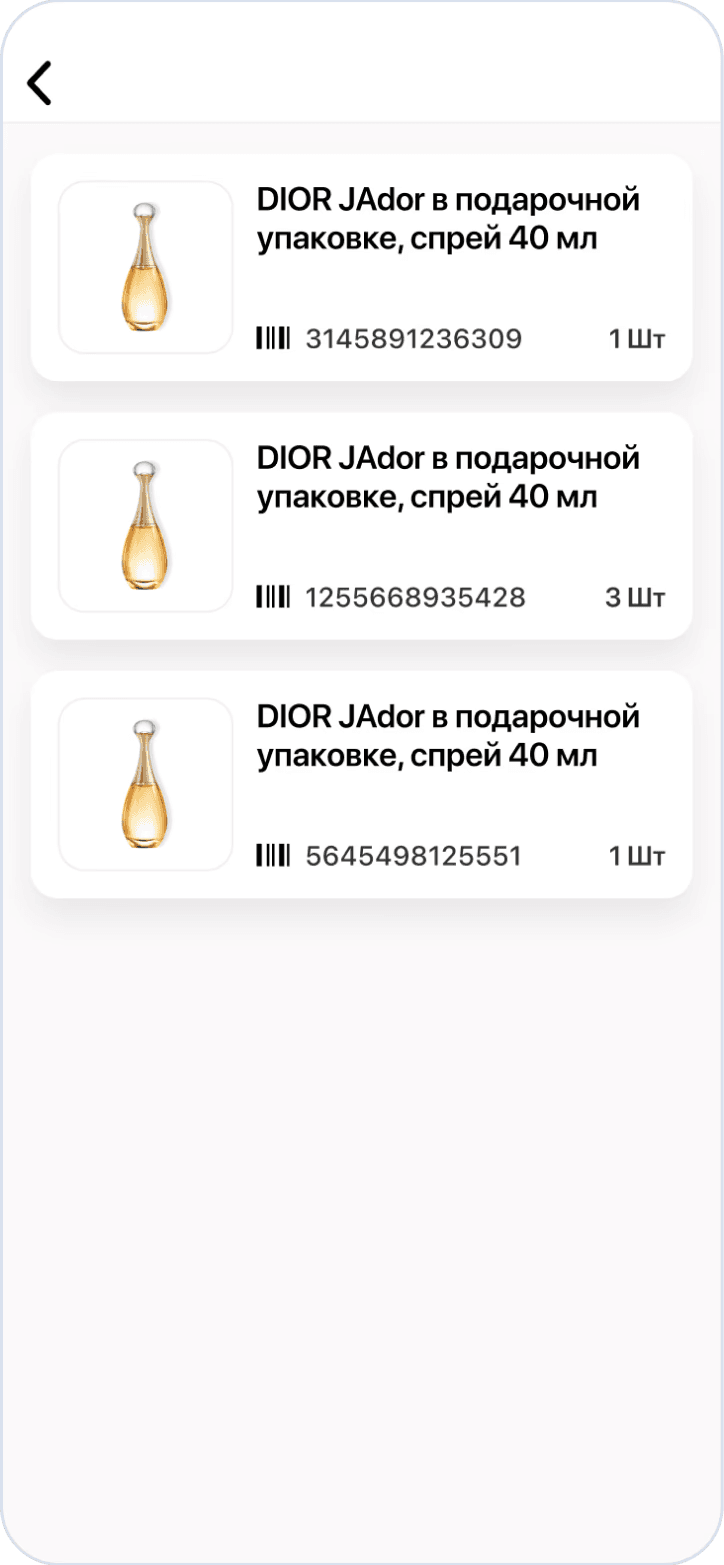
The interface also provides easy access to already scanned products, allowing for easy viewing and correction if necessary
User scenario after
The employee gains the ability to manage the entire process on one screen: selecting the product status, scanning, and editing
The interface also provides easy access to already scanned products, allowing for easy viewing and correction if necessary
User scenario after
The employee gains the ability to manage the entire process on one screen: selecting the product status, scanning, and editing
The interface also provides easy access to already scanned products, allowing for easy viewing and correction if necessary
User scenario after
The employee gains the ability to manage the entire process on one screen: selecting the product status, scanning, and editing
The interface also provides easy access to already scanned products, allowing for easy viewing and correction if necessary
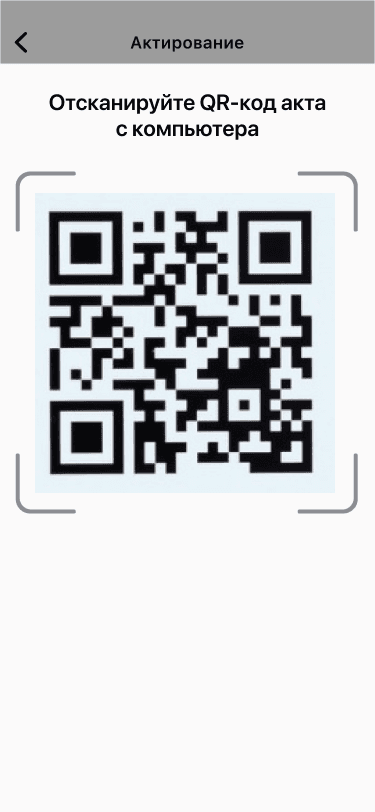
Application scanning
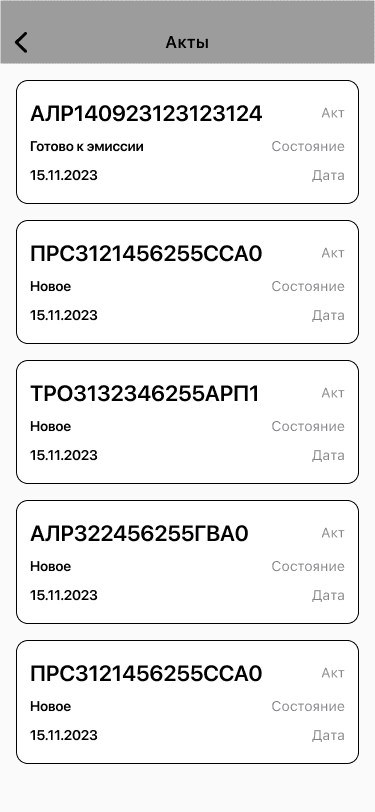
List of acts
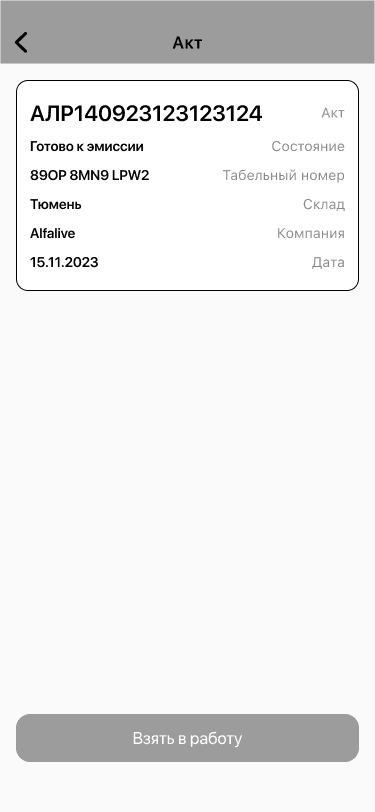
Choice of Act
State selection
Scanning
Do we need to edit the quantity?
No
Yes
Editing
Scanned goods
Application scanning
List of acts
Choice of Act
State selection
Scanning
Do we need to edit the quantity?
No
Yes
Editing
Scanned goods
Application scanning
List of acts
Choice of Act
State selection
Scanning
Do we need to edit the quantity?
Yes
No
Editing
Scanned goods
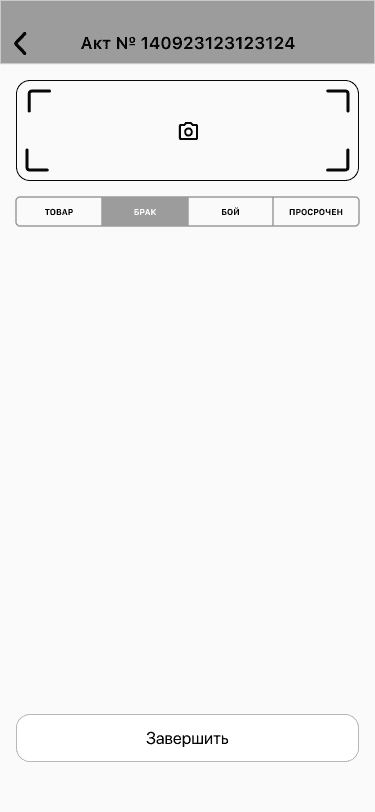
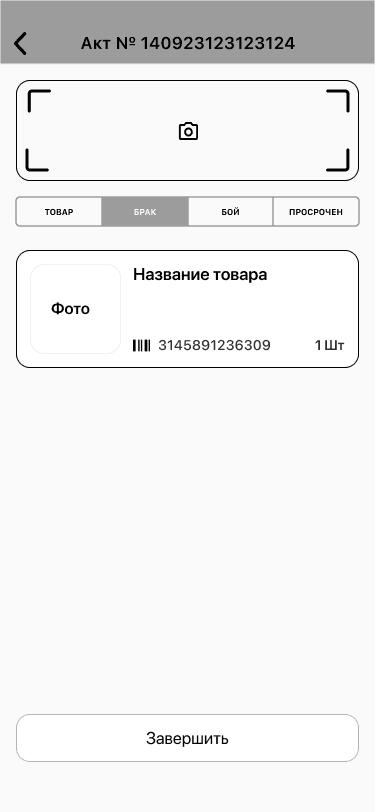
WirFrames
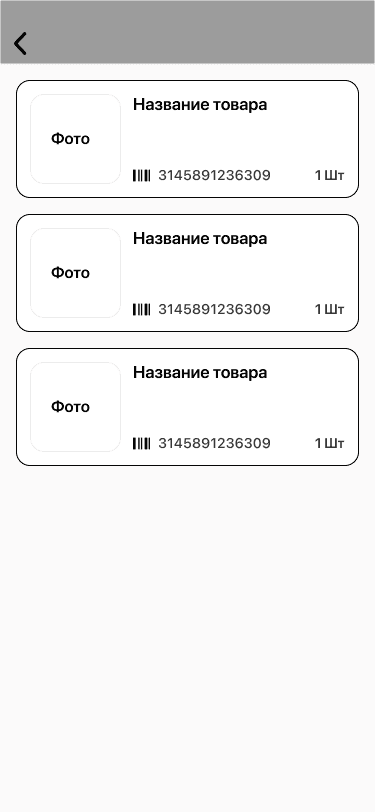
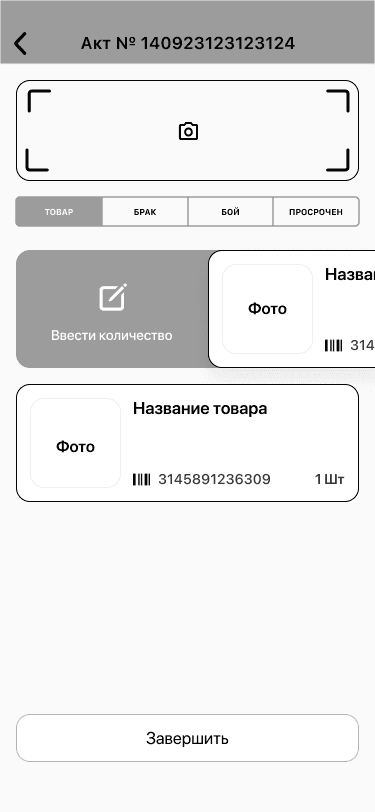
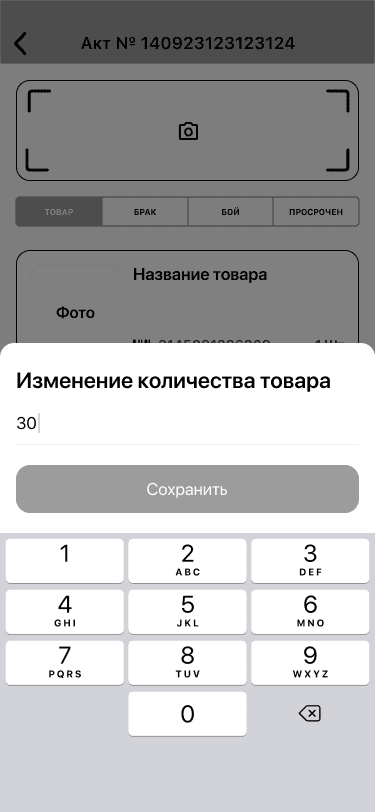
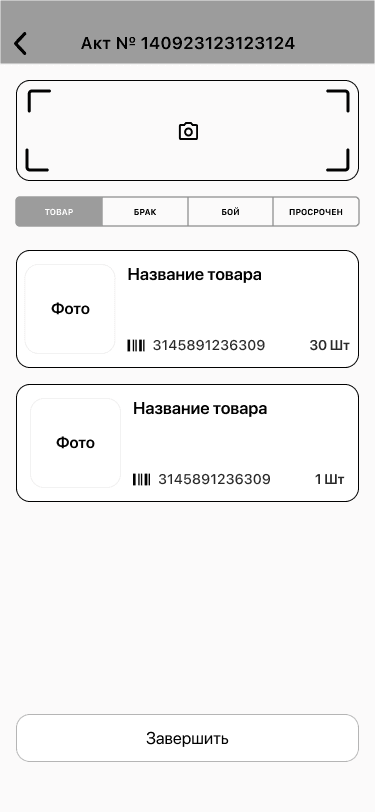
Colors
FFFFFF
7ED321
FBFAFA
000000
Fonts
SF Pro
Display
Font
Size
22 px
17 px
14 px
10 px
Chapter 3 - Design
Chapter 3 - Design
Colors
Fonts
FFFFFF
7ED321
FBFAFA
000000
SF Pro Display
Font
Size
22 px
17 px
14 px
10 px
Иконка
Application scanning
Application scanning
Application scanning
Application scanning
List of acts
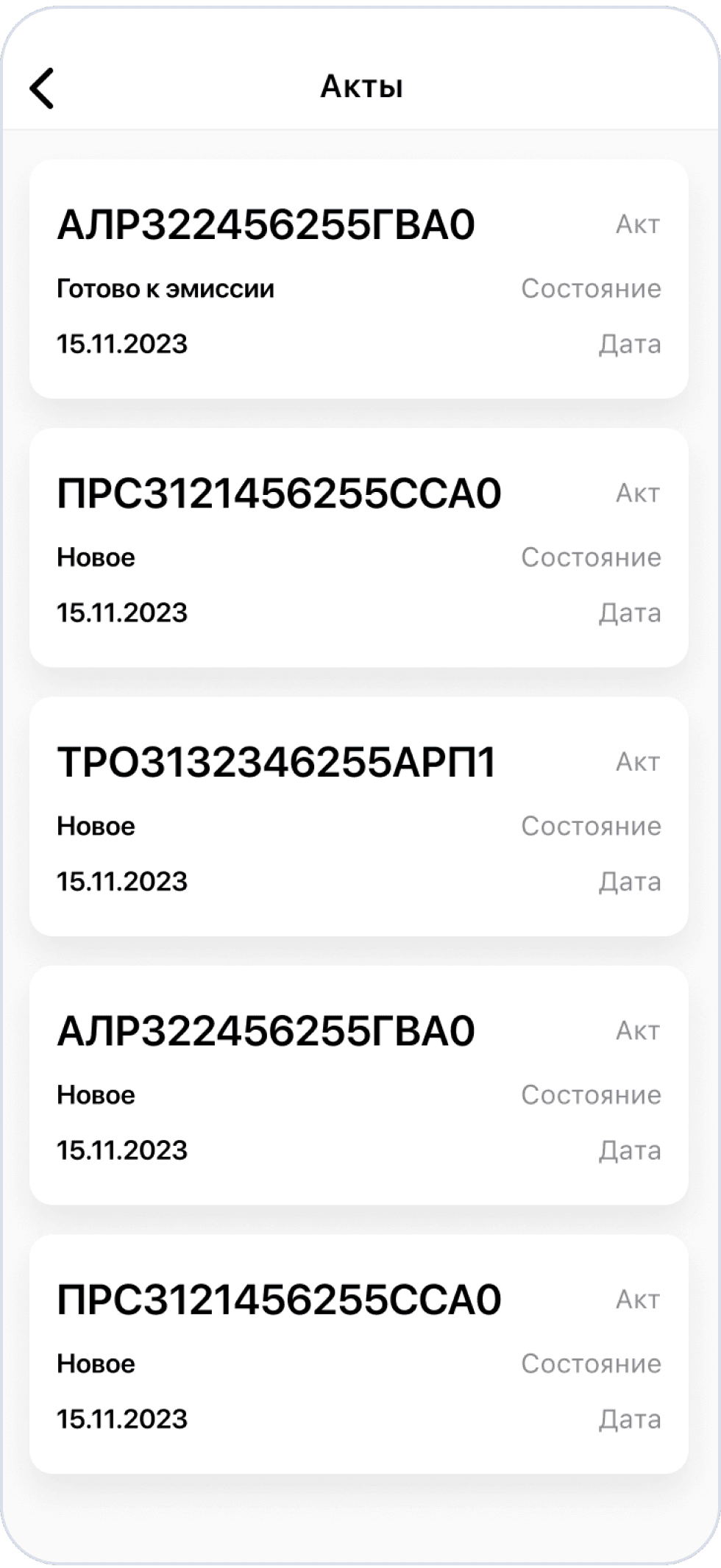
List of acts
List of acts
List of acts
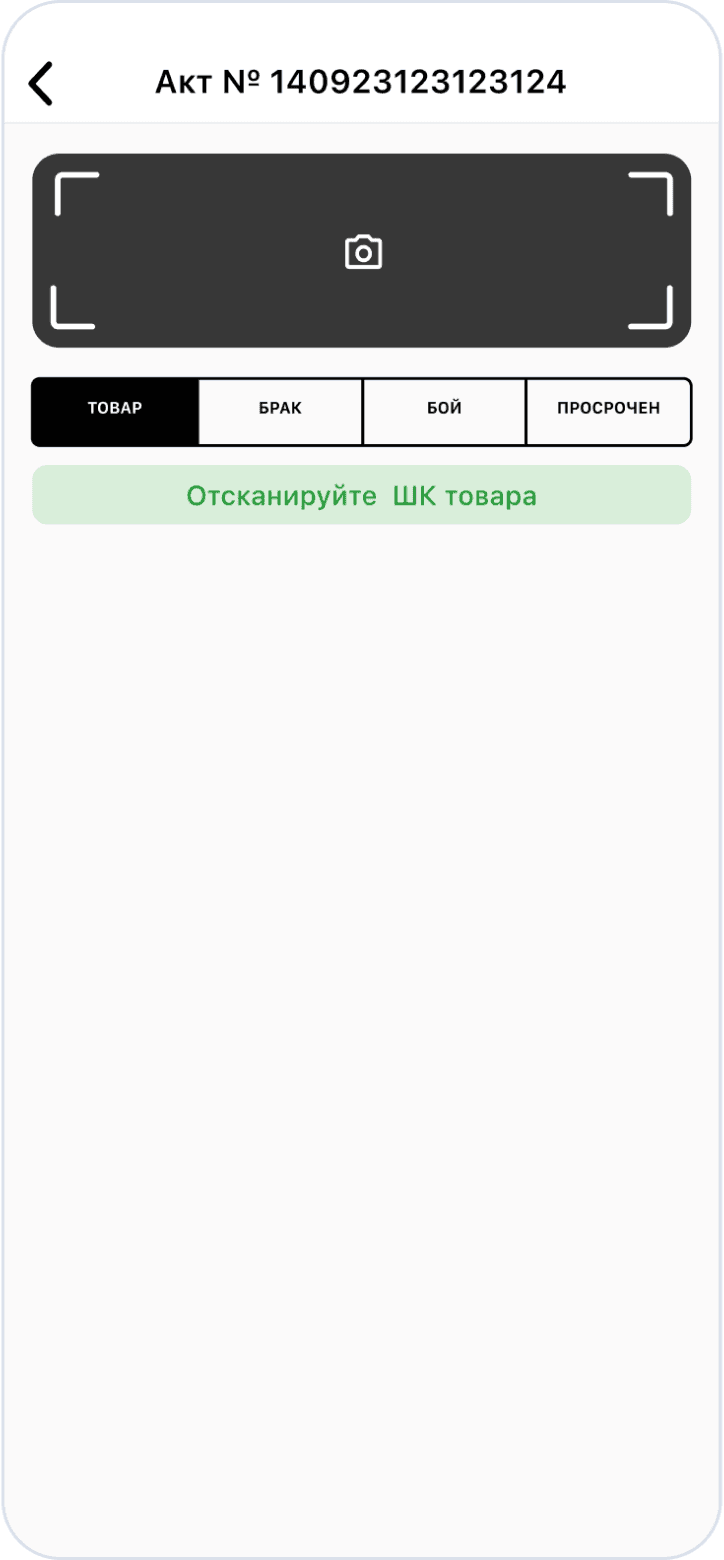
Selected act
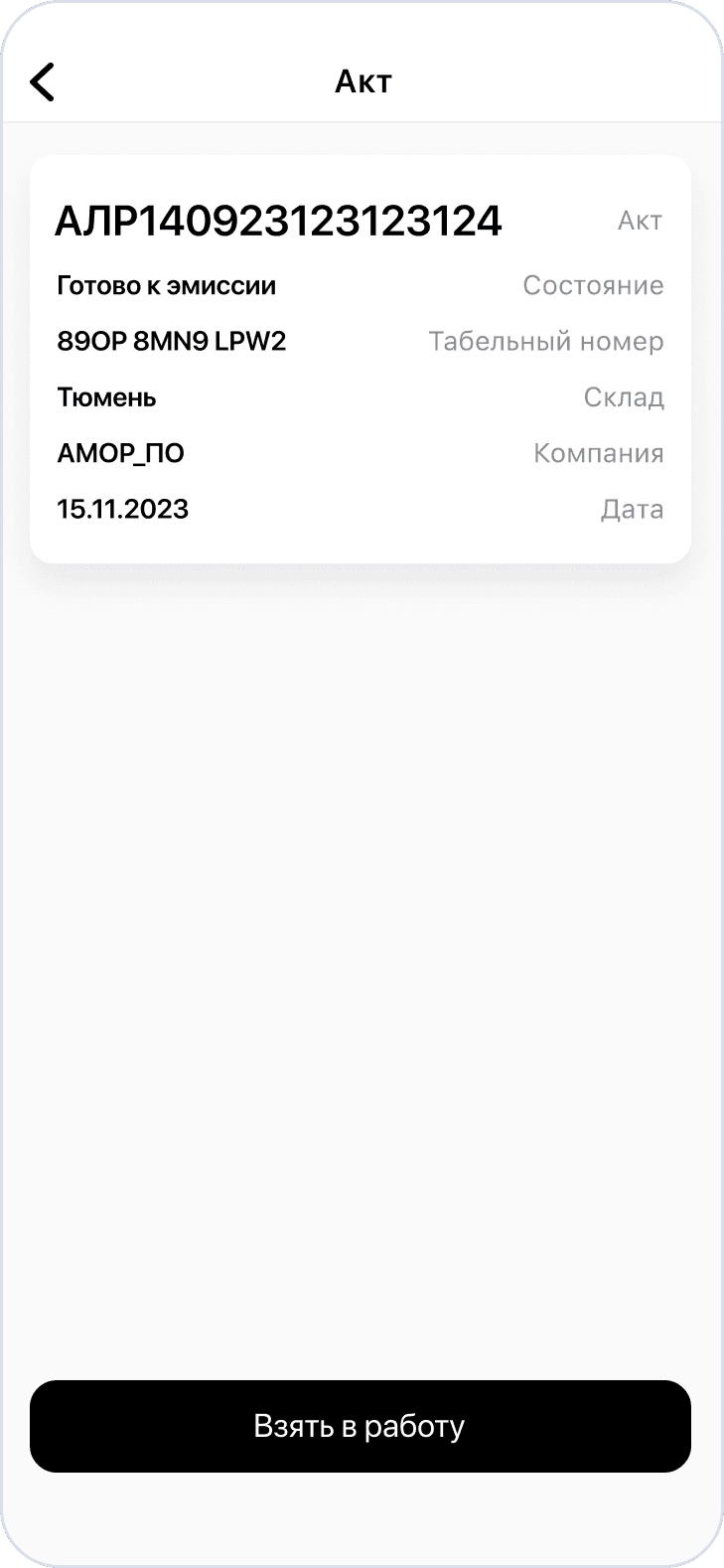
Selected act
Selected act
Selected act
State selection
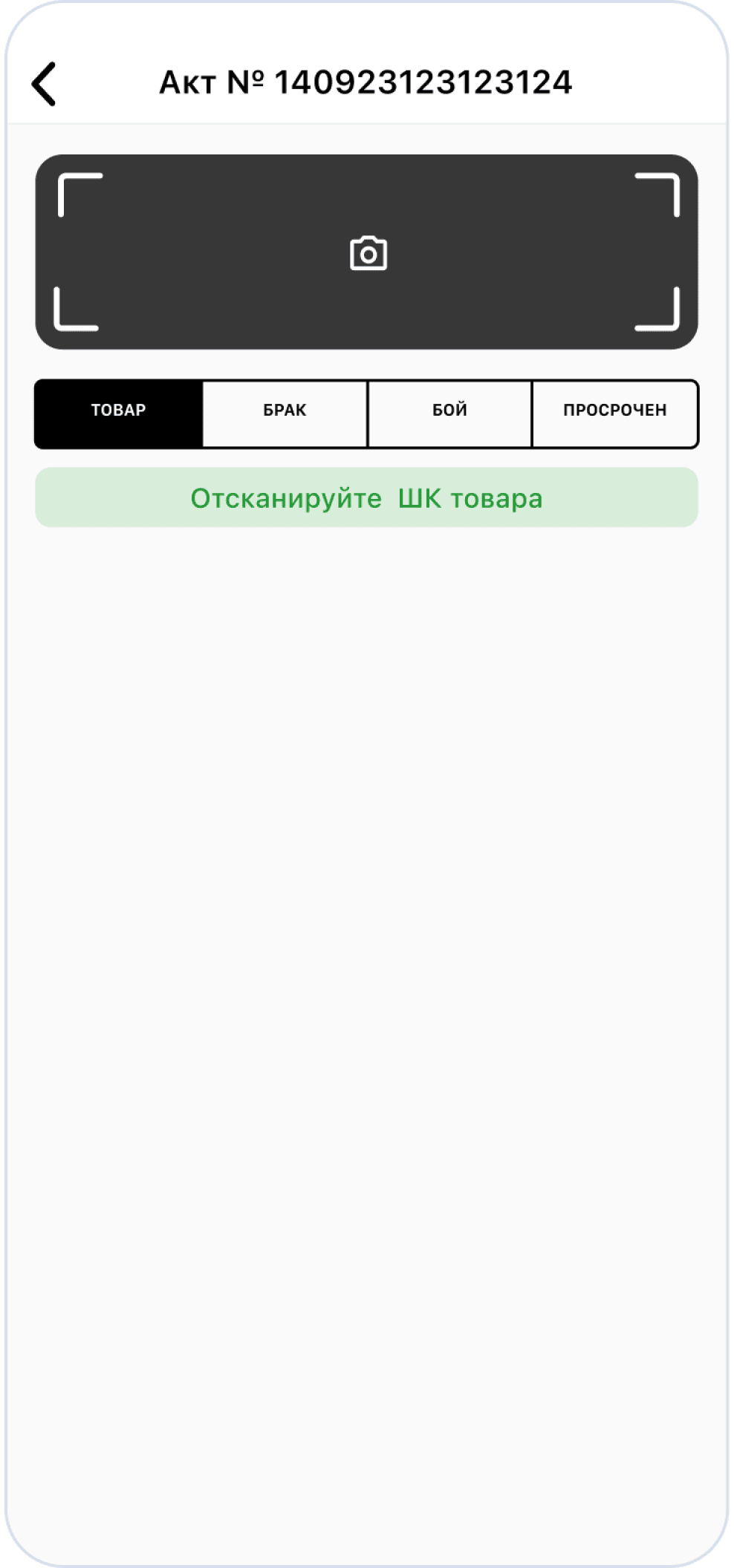
State selection
State selection
State selection
Scanning of goods
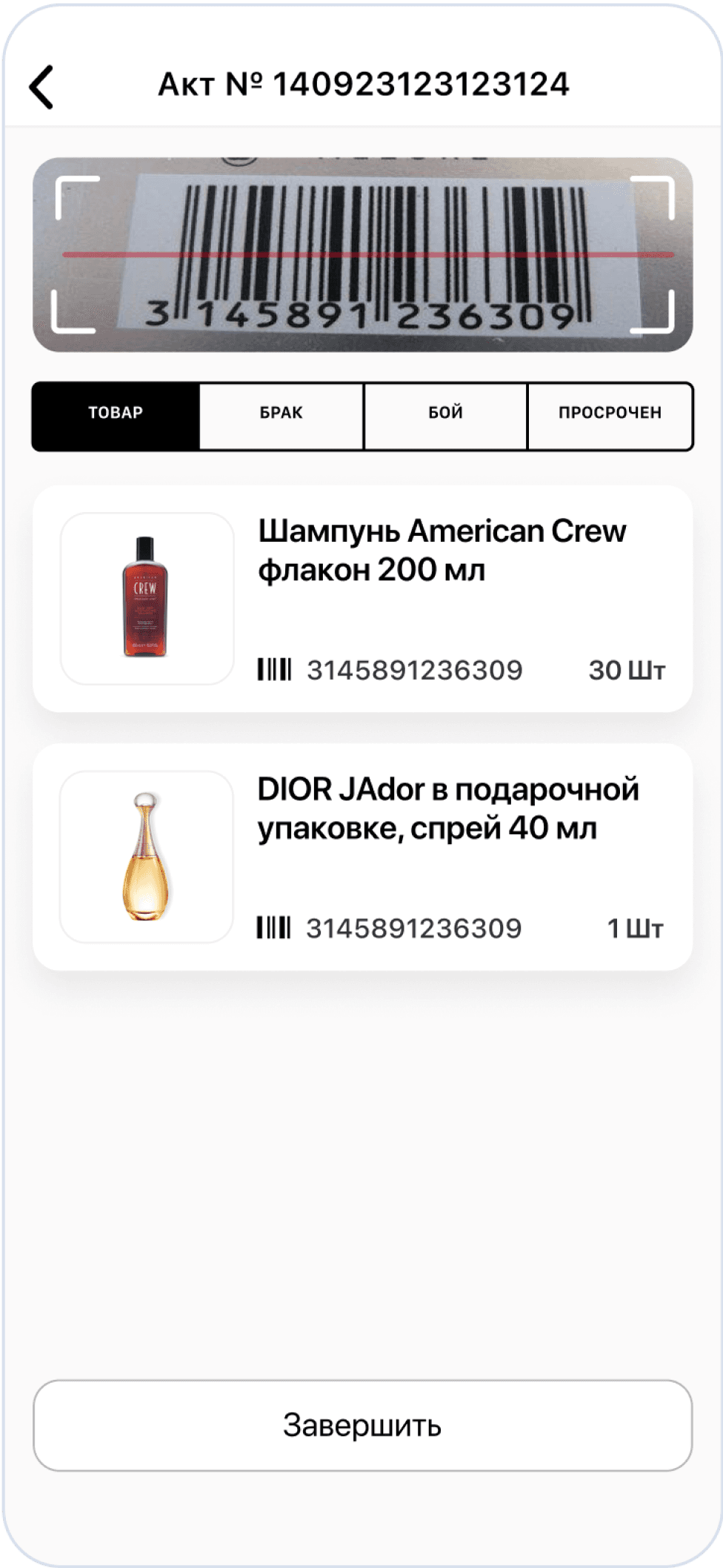
Scanning of goods
Scanning of goods
Scanning of goods
Editing the product
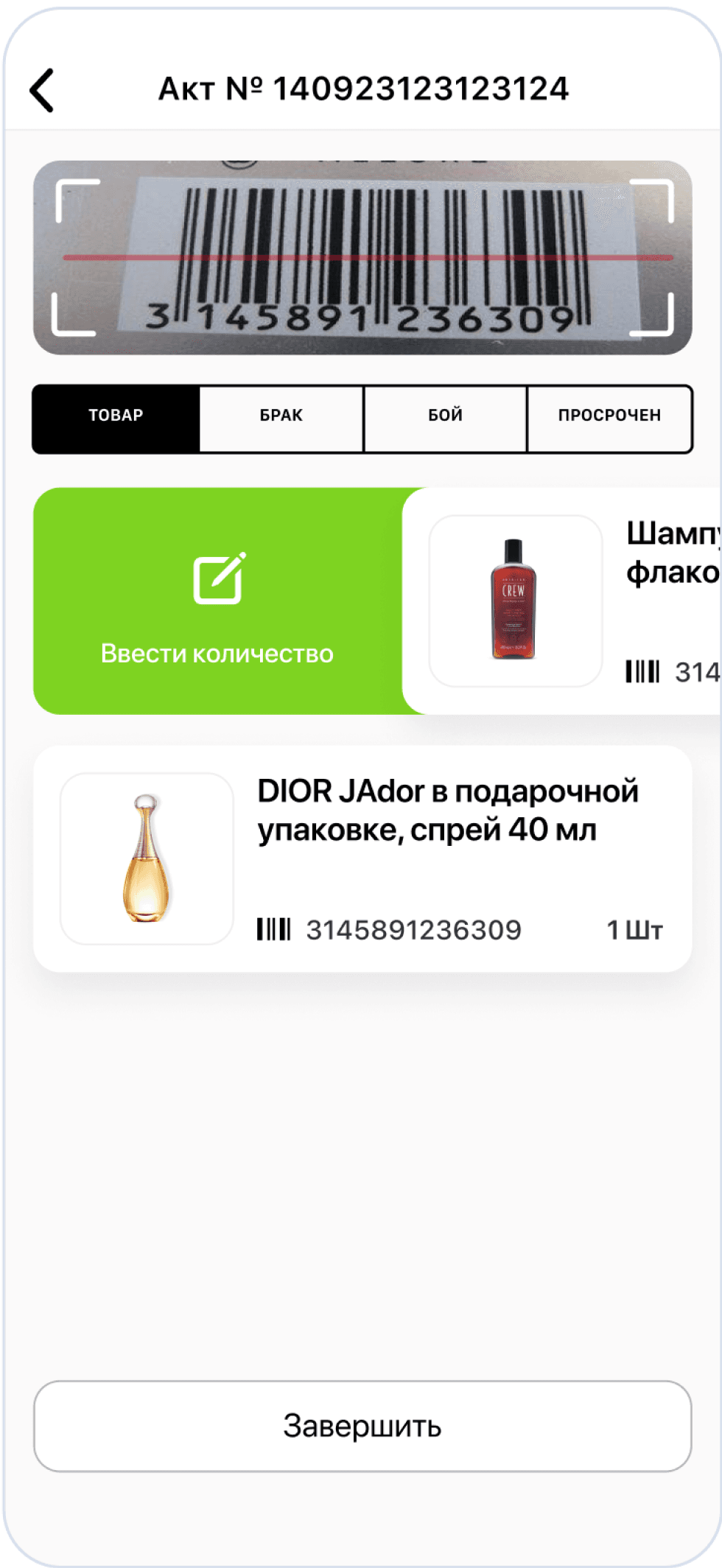
Editing the product
Editing the product
Editing the product
Change the quantity
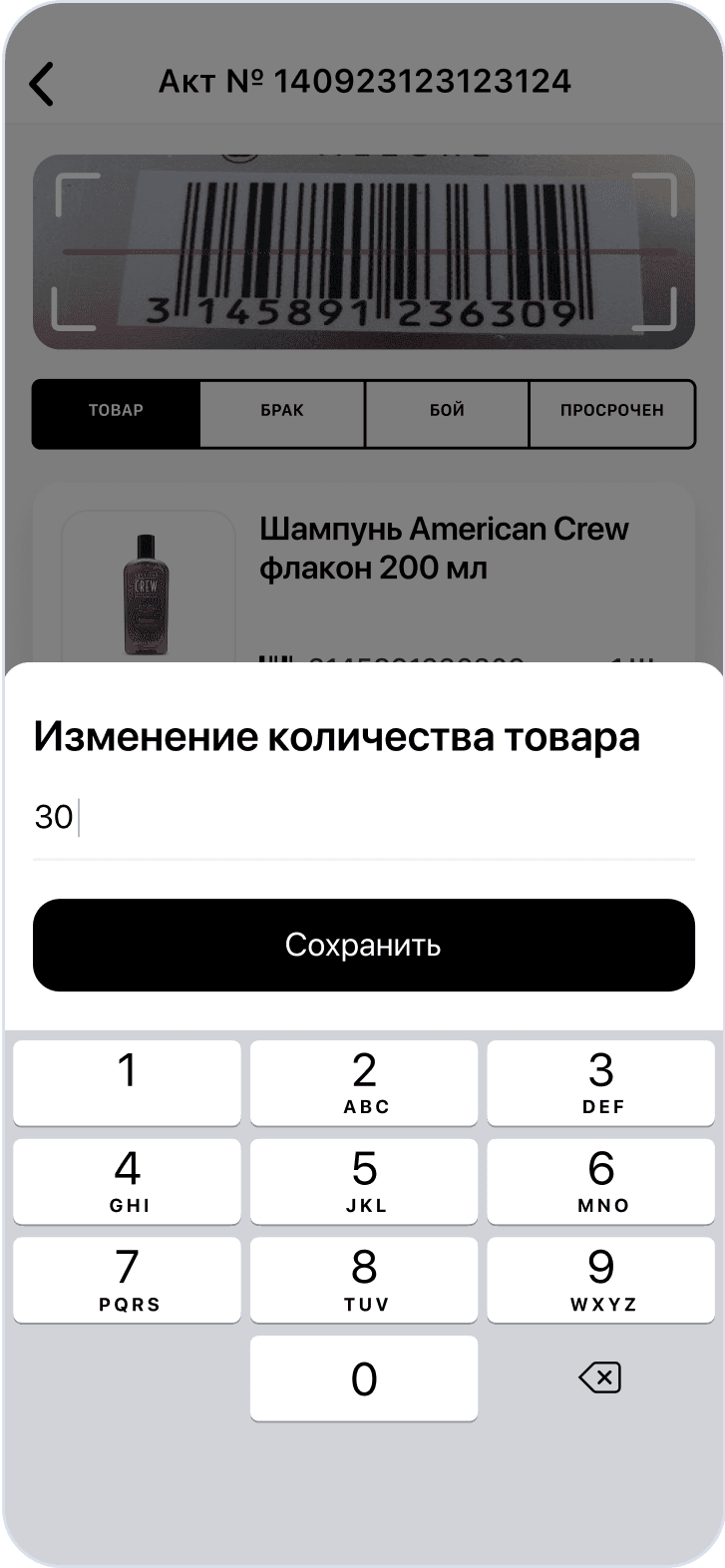
Change the quantity
Change the quantity
Change the quantity
Scanning of the marriage
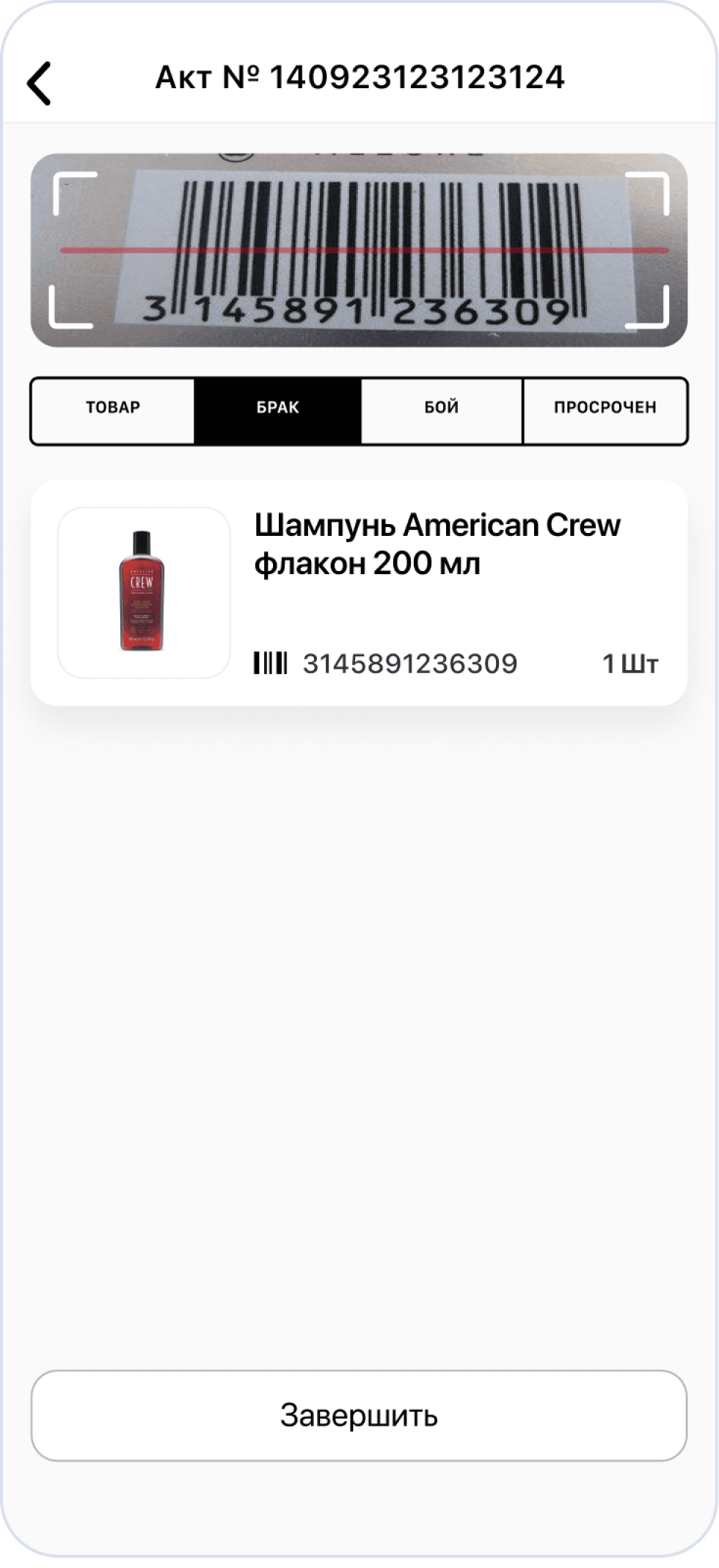
Scanning of the marriage
Scanning of the marriage
Scanning of the marriage
Result
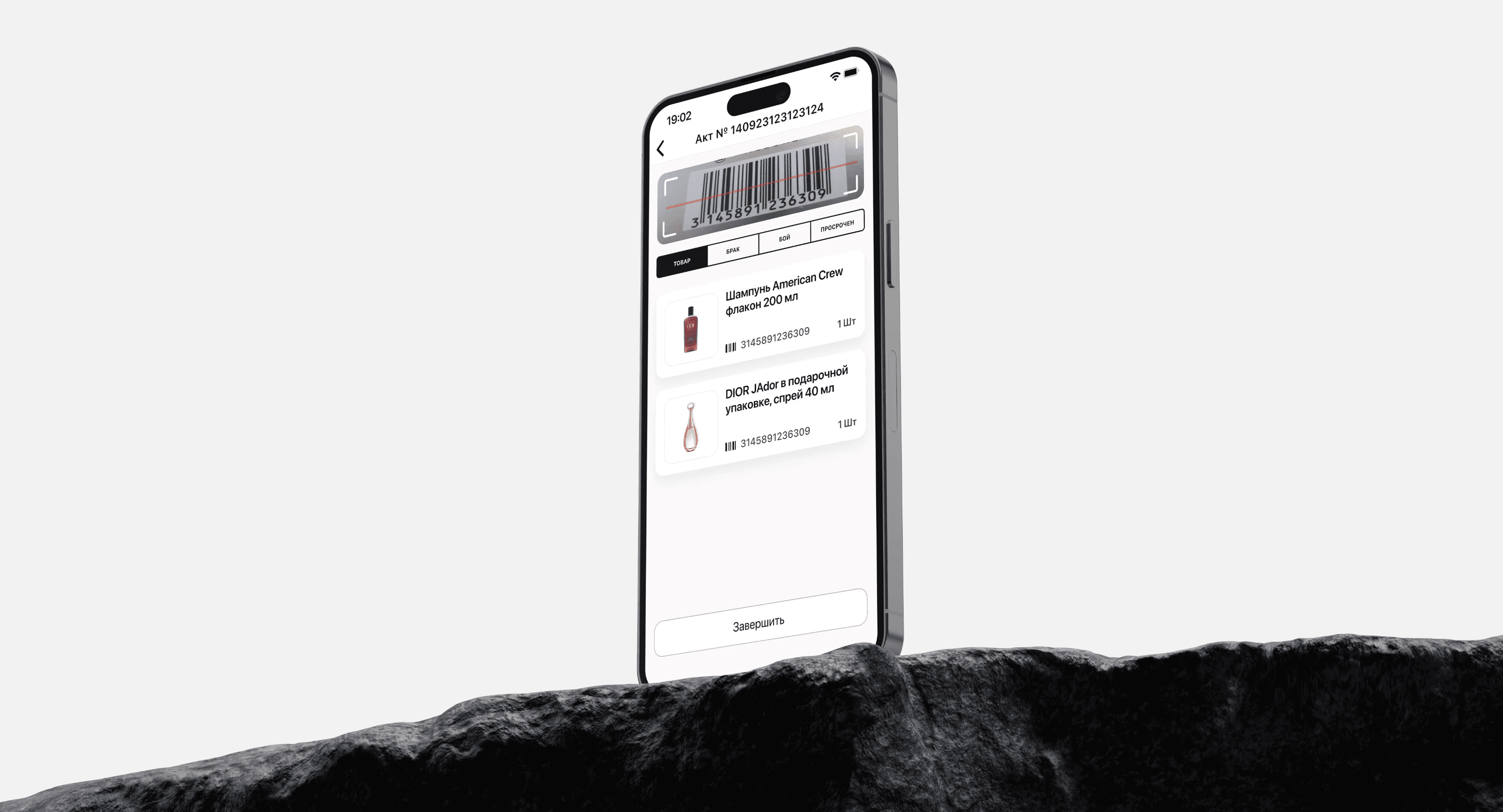
I was able to significantly reduce the time it takes to scan products, and my hypotheses turned out to be correct. Now all key actions — selecting a status, scanning, and editing — can be performed on one screen. This has simplified the work of employees, made the process faster and more convenient, which has clearly improved productivity.
Result
I was able to significantly reduce the time spent scanning products, and in further testing, my hypotheses turned out to be correct. Now all key actions — selecting a state, scanning, and editing — can be performed on one screen. This will simplify the work of employees, make the process faster and more convenient, which will obviously have a positive impact on productivity.
Result
I was able to significantly reduce the time spent scanning products, and in further testing, my hypotheses turned out to be correct. Now all key actions — selecting a state, scanning, and editing — can be performed on one screen. This will simplify the work of employees, make the process faster and more convenient, which will obviously have a positive impact on productivity.
Result
I was able to significantly reduce the time spent scanning products, and in further testing, my hypotheses turned out to be correct. Now all key actions — selecting a state, scanning, and editing — can be performed on one screen. This will simplify the work of employees, make the process faster and more convenient, which will obviously have a positive impact on productivity.
Colors
Fonts
FFFFFF
7ED321
FBFAFA
000000
SF Pro Display
SF Pro Display
Font
Size
22 px
22 px
17 px
17 px
14 px
14 px
10 px
Chapter 3 - Design
WirFrames
Все экраны
Все экраны
Все экраны
Все экраны
Other projects


WirFrames
Other projects
Other projects

Персональное
Портфолио
Персональное
Портфолио
Персональное
Портфолио
Персональное
Портфолио
Design of the PDT system for the company L'Etoile
About the company
L'Etoile is the largest chain of perfume and cosmetics stores in Russia, with over 1000 locations across the country. Founded in 1997, it offers products from global brands such as Dior, Chanel, and Givenchy. L'Etoile is known for its high level of service, exclusive collaborations, and its own loyalty program, attracting millions of customers.
Tasks
1. Transfer the TSD system from the terminal to a mobile device
2. Identify and eliminate issues with the user scenario
Goals
1. Increase employee productivity by using mobile devices instead of terminals.
2. Simplify and accelerate the process of scanning and processing goods.
Achievements
My solutions have reduced the processing time of products by 30%, increased employee productivity by 25%, and decreased the number of errors by 40%. The system has simplified the work for over 1,000 employees across the country.
Chapter 1 - research
Benchmarking
I conducted benchmarking of the marketplaces Wildberries, Ozon, Yandex Market, and Cooper to analyze their approaches to working with TSD systems. This helped me identify the strengths of their solutions and use them to improve my system.
Criterion
Wildberries
Ozon
Yandex Market
Cooper
How the condition of the item is chosen
(damage, defect, etc.)
- Choose the state of the product after scanning from the list
- Choose the state of the product after scanning from the list
- Requires several steps to select a state
- It requires several steps to select the state
How to edit products
+ Simple editing
on one screen
+ Simple editing
on one screen
- Multistage editing
- A transition to separate screens is required.
The ability to scan multiple items with one barcode
- Not supported
+ Supported
+ Supported
- Not supported
Conclusions
Product condition selection (damage, defect, etc.): Wildberries and Ozon provide dropdown lists for selecting the product condition immediately after scanning, while Yandex Market and Cooper require the use of additional screens.
Editing products: All companies support the ability to edit data after scanning the product, but for Cooper and Yandex, this process is more complex, requiring navigation to separate screens.
Scanning multiple products with one barcode: Ozon and Yandex Market support the ability to scan one barcode for multiple products, which is convenient when working with batches, whereas Cooper requires scanning each product individually.
Comment
My analysis showed that Wildberries and Ozon provide more convenient interfaces with the ability to quickly select the condition of the product after scanning through drop-down lists. Yandex Market and Kuper require additional steps, which increases processing time.
I made changes by implementing the ability to select the condition of the product before scanning, which will significantly speed up the process. A function for editing products on one screen will also be added to enhance convenience. Support for scanning multiple products with one barcode will allow for efficient processing of large batches.
Hypotheses
The first hypothesis
If we allow an employee to select the item condition on one screen, then scanning 10 items will take approximately 20 seconds.
The second hypothesis
If we allow an employee to edit and change the quantity of goods on one screen, the editing will take about 5 seconds.
Chapter 2 - UserFlow and Wireframes
User scenario until
To scan a new item, the user needs to return to the main screen and start the process over again. The same principle applies to editing and viewing already scanned items — this requires going back to the main screen and repeating the actions.
Main screen
Application scanning
List of acts
Choice of Act
Product condition
State selection
Scanning
Yes
No
Do we need to edit the quantity?
Editing
List of goods
List of goods
Product selection
Scanned goods
User scenario after
The employee gains the ability to manage the entire process on one screen: selecting the product status, scanning, and editing
The interface also provides easy access to already scanned products, allowing for easy viewing and correction if necessary
Application scanning
List of acts
Choice of Act
State selection
Scanning
Do we need to edit the quantity?
Yes
No
Editing
Scanned goods
WirFrames
Chapter 3 - Design
Colors
Fonts
FFFFFF
7ED321
FBFAFA
000000
SF Pro Display
Font
Size
22 px
17 px
14 px
10 px
Application scanning
List of acts
Selected act
State selection
Scanning of goods
Editing the product
Change the quantity
Scanning of the marriage
Result
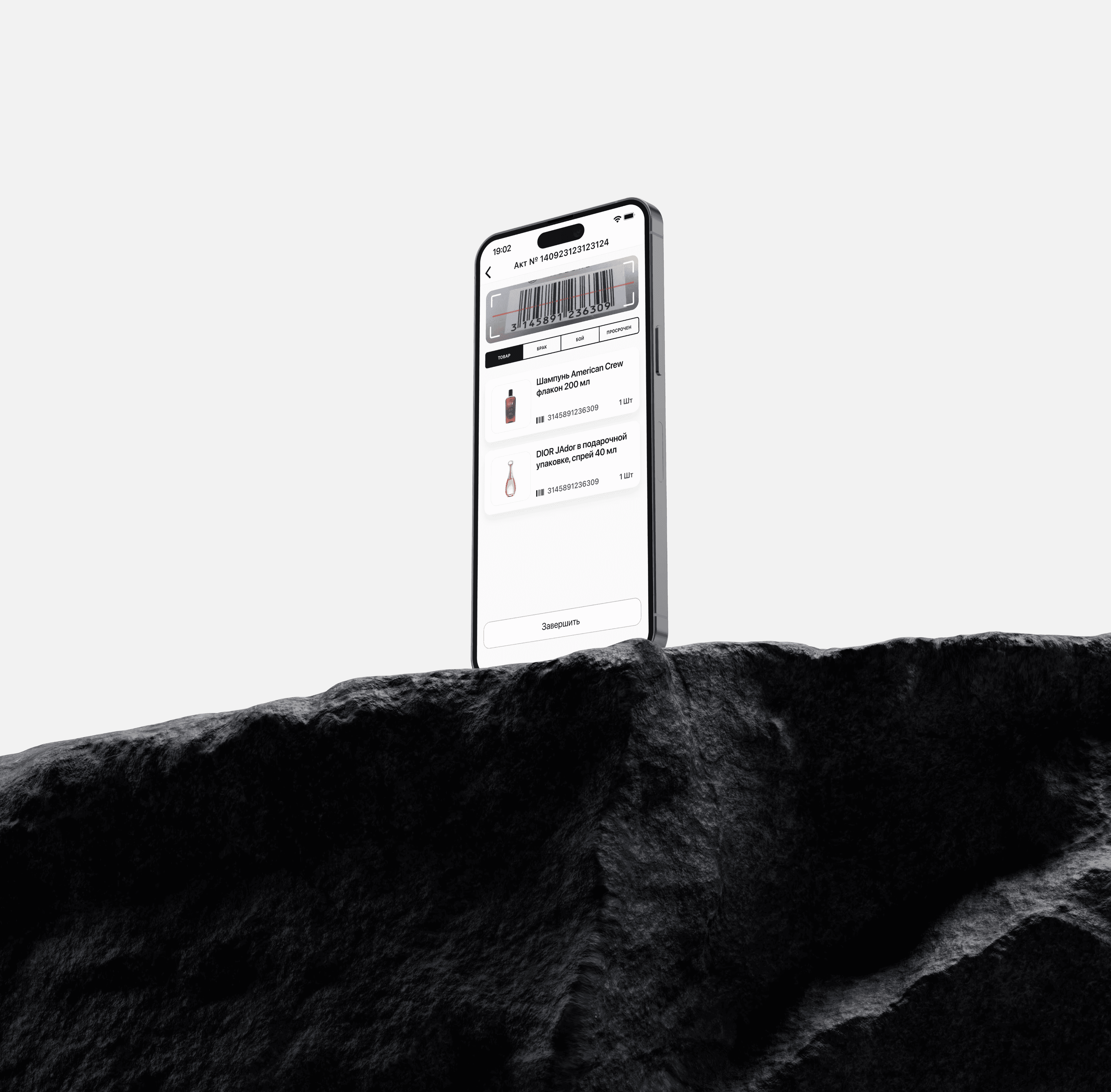
I was able to significantly reduce the time spent scanning products, and in further testing, my hypotheses turned out to be correct. Now all key actions — selecting a state, scanning, and editing — can be performed on one screen. This will simplify the work of employees, make the process faster and more convenient, which will obviously have a positive impact on productivity.
Все экраны
Other projects
Персональное
Портфолио